Players enter the score, you validate it
A tablet on each court or a QR code: players put the score in, the referee validates it with one tap from their phone. On by default, nothing to install.
Free, no credit card
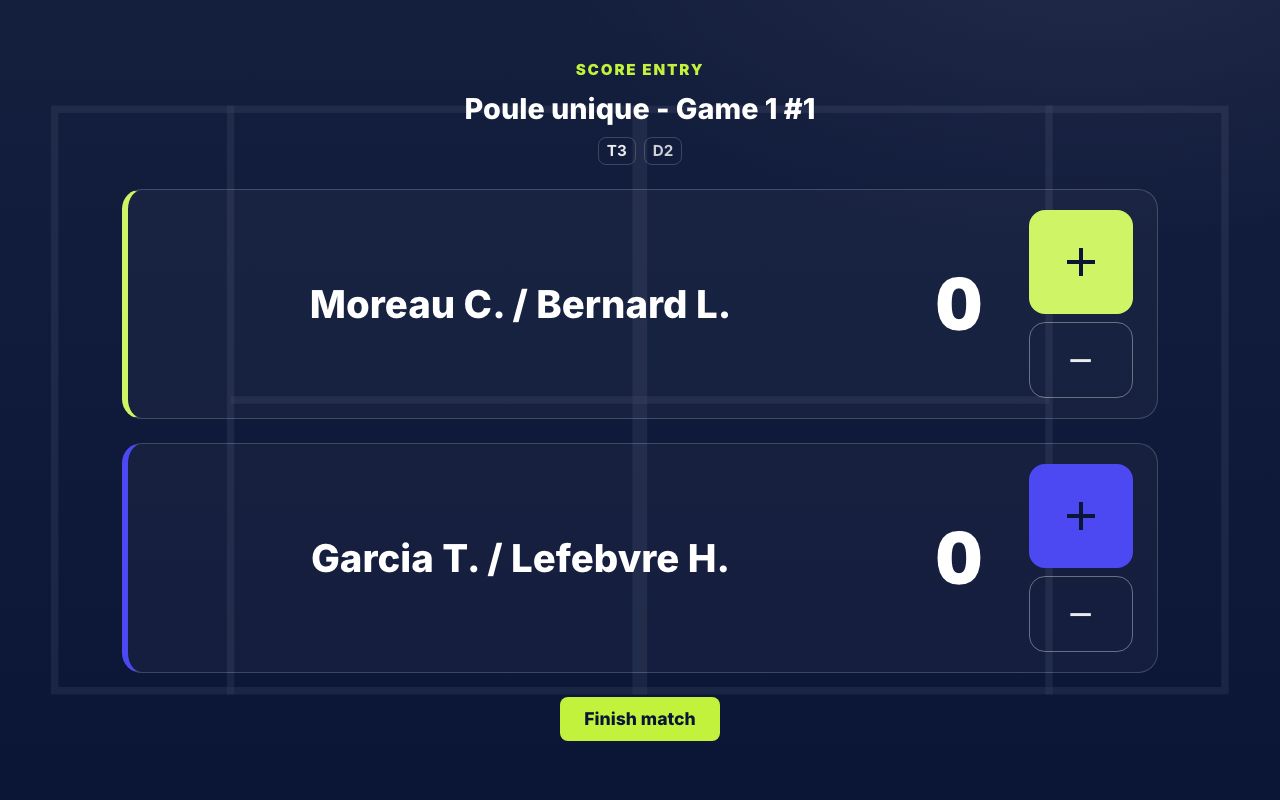
Scoring, entered on court
A tablet per court, the players' phones, the referee's validation — all connected
A tablet per court
Mount a tablet on each court: it shows the current match large and doubles as the scoreboard.
Players enter the score
Players tick the score game by game from the tablet or their phone, with nothing to install.
Referee validation
Every proposed score lands in the referee interface to validate, correct or reject in one tap.
QR-code setup
Generate a QR per court (or per match): scan it and the tablet is bound. Nothing to configure.
Groups and draws
Groups, draws and qualifying, with the configured set scoring. In Americano, King of the Hill and leagues, scores are entered from the referee interface; in Elimination, through the match link sent to the pairs.
The tournament poster
Print the tournament poster: club name and logo, a QR code to follow the tournament, and one QR per court to tape to the post — players scan the one on their court.
How it works
Referee launches the match
From the referee interface, the match is launched on its court.
Players scan the QR
The court tablet, or the QR shown by the referee, opens the scoring screen.
Players enter the score
Game by game, set by set, then "Finish" sends the score to the referee.
Referee validates
The proposed score is pre-filled: the referee validates and the bracket advances automatically.
Once the score is validated, the whole tournament follows
Bracket, standings, public page and TV screen update on their own: that's live score entry.
Frequently asked questions
Yes: on-court scoring comes with Padel Clash, which is free with no credit card. Eventually only heavy use or some advanced features may become paid; standard use stays free.
No. Scoring happens in the browser: players scan a QR code and land straight on the score screen. Nothing to download, on tablet or phone.
Every score players enter is a proposal: it only becomes official once the referee validates it, and they can correct or reject it. The bracket never advances without validation.
No. Any tablet or phone with a modern browser works. You can mount one tablet per court, or let players use their own phones via the match QR.
With group and draw tournaments, qualifying included. In Americano, King of the Hill and leagues, scores are entered from the referee interface; in Elimination, played over several weeks, each pair gets a link to its match.
A fixed tablet is bound to a court and automatically shows the match currently on that court. For phone scoring, the referee displays a match-specific QR.
Go further
Let the score be entered on court
Create your tournament free: tablet scoring is on by default