What TV mode shows
Eight channels, shown on their own or in automatic rotation.
Eight channels
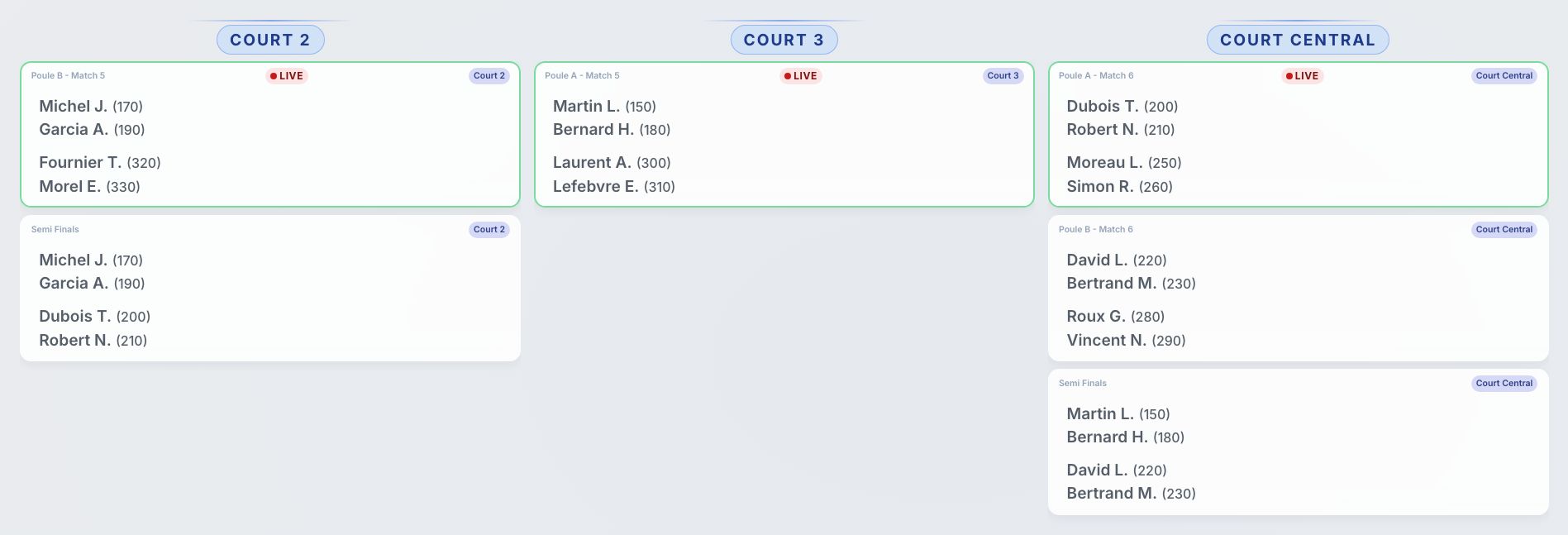
Brackets, order of play, live matches, rankings, practical info, sponsors, a timer and the live draw. Each channel can run on its own or join the carousel.
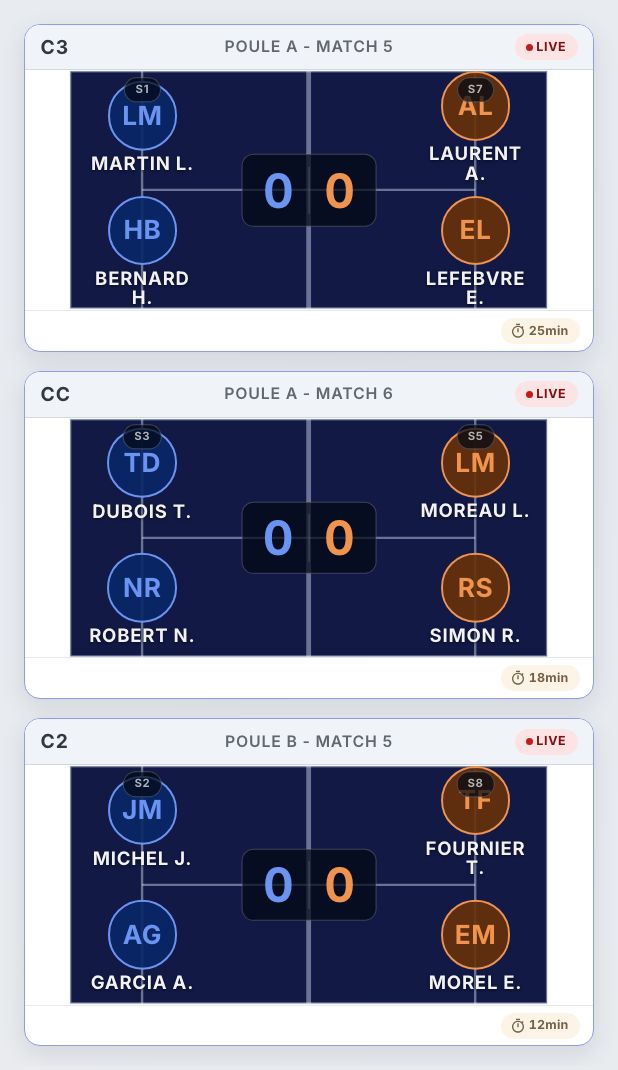
Matches drawn on the court
Live matches appear on a scale padel court: each pair at its real position, the score straddling the net. Readable from across the club. The list view is still there when you'd rather fit more matches on screen.
Split screen
Two things at once: a fixed channel on one side — the main draw, say — and a rotation on the other. Drag the divider to set the balance.
In your club's colours
Customisable palette and your club's logo, shown as a badge or a watermark on every channel.
Remote control
Switch channels, pause the rotation or jump to the next bracket from your phone, without touching the PC plugged into the TV.
Your sponsors on screen
Drop your partners' artwork into the rotation, one by one on its own interval, or all together on a full panel.
Two tournaments, one screen
A club running two events on the same day can show them side by side on the same screen, each with its own matches and standings.
Players on screen
When players have agreed to publish their photo, it appears on the court view and in the order of play. Otherwise initials take over — nothing is shown without consent.
Set it up in four steps
Plug in a screen
An HDMI stick, a mini-PC or a laptop wired to the club TV — that's the whole hardware list.
Open TV mode
From your tournament, one button opens the full-screen display in a new tab.
Pick your channels
Choose what rotates, in which order and how fast — 5 to 120 seconds per channel.
Let it run
Every score recorded reaches the screen live, and the display stays awake on its own until the tournament ends.
The details that matter on the day
The screen never sleeps: TV mode keeps the display awake all day.
Density adapts to screen size, and you can force it when a 32-team bracket has to fit a 43-inch TV.
A QR code sends players and spectators to the tournament's public page on their phones.
On Montante and Americano formats, a timer channel counts down the current round.
Each screen gets its own session: two TVs in the same club can show different channels.
Nothing to install — TV mode opens in any recent browser.
Frequently asked questions
Open TV mode from your Padel Clash tournament: the full-screen display opens in a new tab, which you send to the TV over an HDMI stick, a mini-PC or a laptop. Nothing to install — it's a web page.
No. Any screen with an HDMI input and any device that can open a recent browser will do. Display density adapts to screen size automatically, and can be forced when a large bracket has to fit a modest screen.
The score goes up live. The bracket, pool standings, order of play and the tournament's public page all update together, with nobody having to refresh anything.
Yes. TV mode takes your club's palette, and your logo appears as a badge or a watermark on the channels. You can also rotate your sponsors' artwork on its own interval, or show them all together on a full panel.
Yes. A remote-control page lets you switch channels, pause the rotation or jump to the next bracket from your phone — handy when the TV is mounted high or the PC is out of reach.
It does, with an extra timer channel counting down the current round — useful on formats where rounds are time-boxed. Americano standings get their own channel.
Put your next tournament on the big screen
Create your tournament, plug in a screen, and let the club follow the matches live.